 MyPack
Any website.Any desktop.
Turn a website, or a local HTML project, into a real, standalone desktop app in a few clicks. No Go, Rust, Node or Xcode project required.
Free and open source under Apache-2.0. Every feature included: no app limits, no license keys, no account.
From address to app
Paste a URL, confirm the name and icon, build, then install and open. Most builds take seconds.
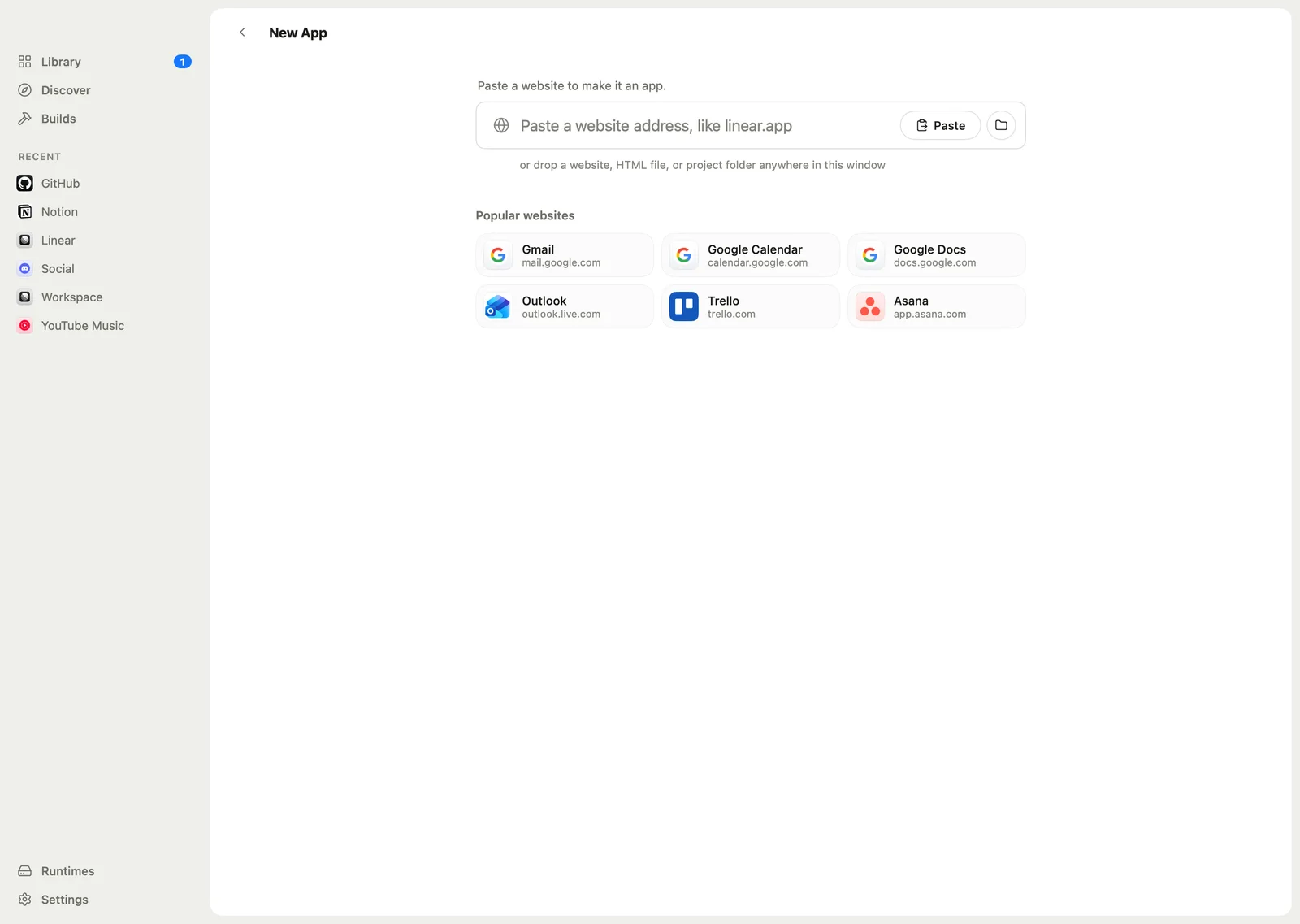
Paste an address
Click New App (⌘N) and paste an address, for example github.com. You can also drop an HTML file or a folder onto the window, or pick a site from the suggestions.
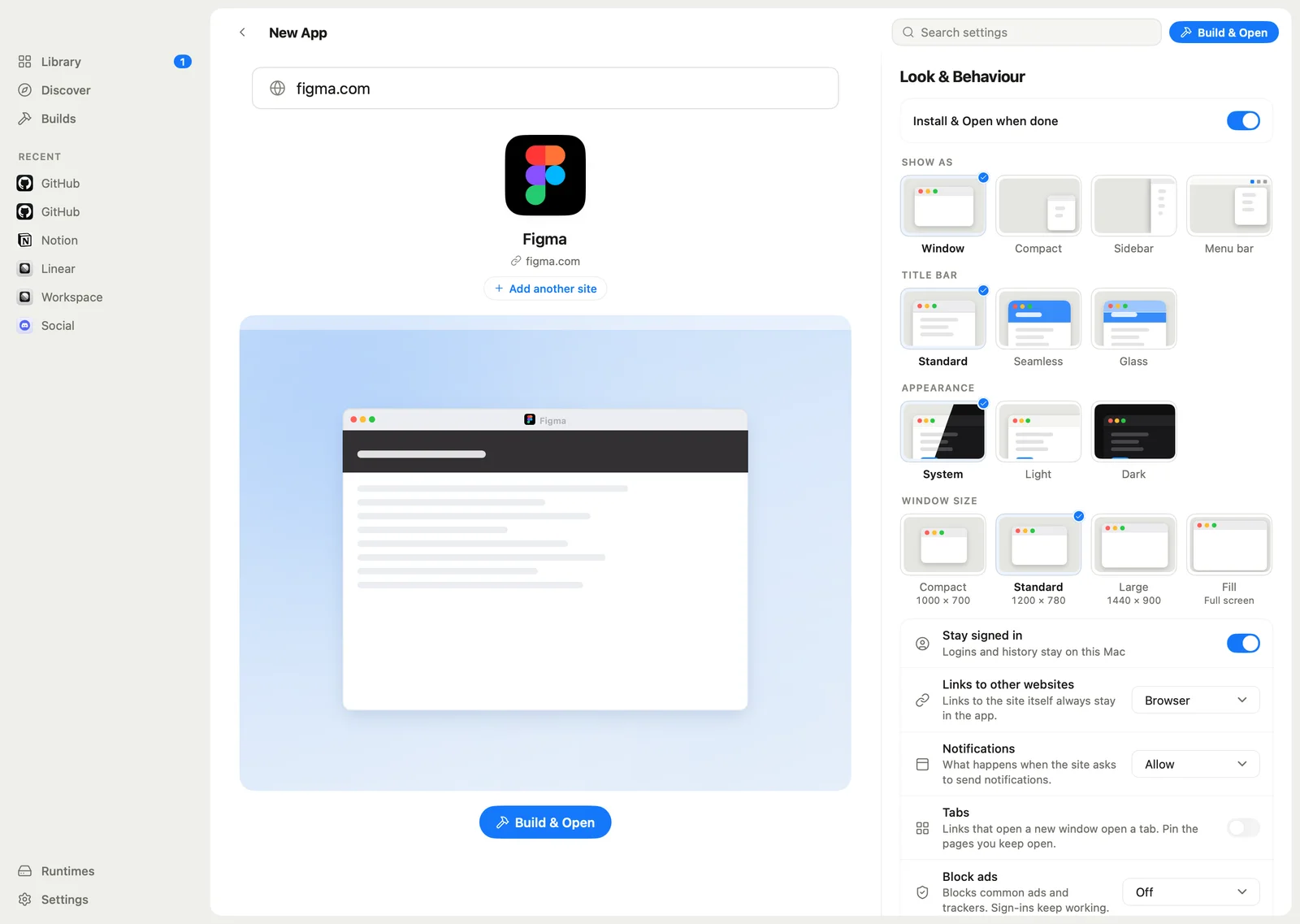
Check the name and icon
MyPack fetches the name and the best icon. Change either, then choose how the app looks: window, compact, sidebar or menu bar, its title bar and its size.
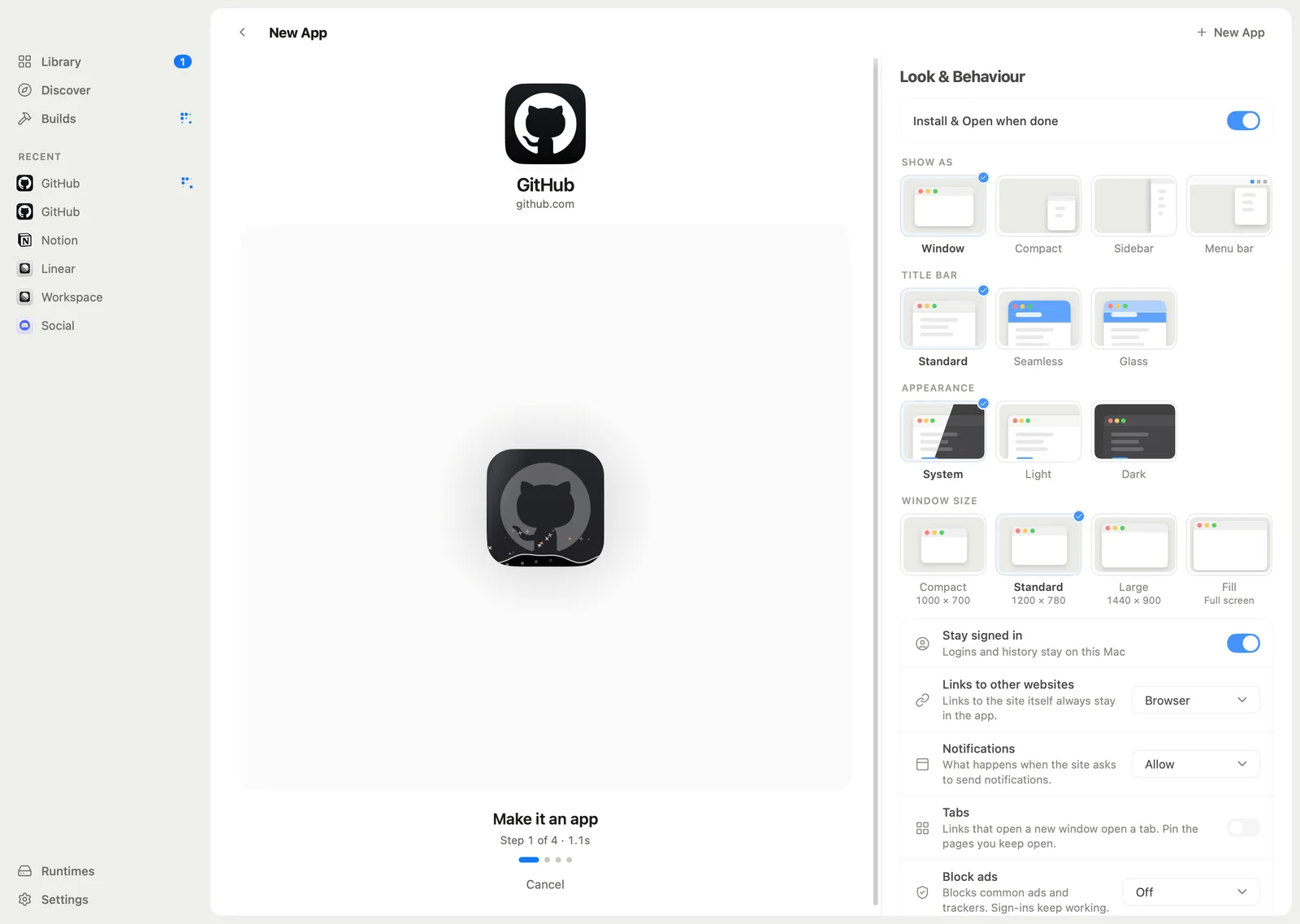
Build & Open
MyPack doesn't compile anything. It writes your app's settings into a small prebuilt runtime, and shows each step as it goes.
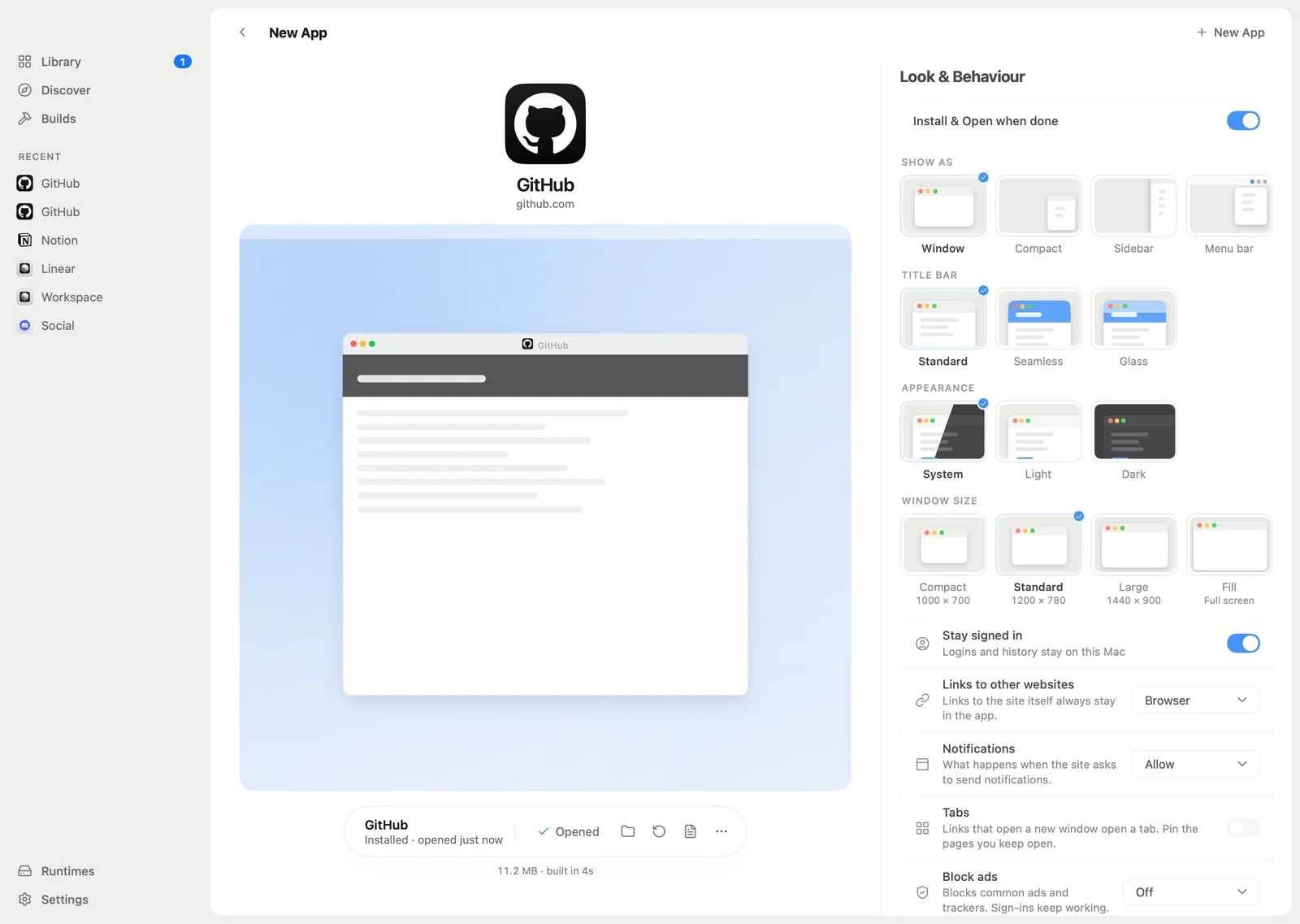
Use it like any other app
The app is installed and opened in one click, with its own name, icon, window and sign-in. It keeps working even if you uninstall MyPack.


A browser tab is a poor home for an app
Tabs get lost among other tabs, every site shares one set of cookies, and none of them get their own Dock icon, notifications or window. MyPack gives each site a proper app of its own, and then keeps looking after it.
No toolchain on your machine
MyPack uses a small prebuilt runtime and writes your app's settings into it, so a build takes seconds. The runtime downloads once, signed and verified.
Apps that stand on their own
Every app has its own name, icon and separate sign-in, uses the system WebView, and keeps working if you uninstall MyPack.
Looked after, not just made
Update an app in one click without losing your logins. If an update fails, the previous version comes back. Repair it, or move it to another computer.
A look around
Real screens from the current app, in demo mode.


Everything is included
No app limits, no license keys, no account. Every feature below is in the free download.
Making apps
- From any websiteMyPack fetches the name and the best icon. Change both, or design an icon in the Icon Studio.
- From local projectsAn HTML file, a folder with index.html, or a Vite, CRA, Astro, Nuxt, SvelteKit or Next export. The project's build runs only after you approve it.
- DiscoverDozens of popular sites, one click to start. The list is a plain JSON file anyone can add to.
- Group appsSeveral sites in one window, with a side rail, a separate session per site and split view.
- Pake configsBring your pake.json from Pake along.
Inside the apps you make
- Notifications and badgesWeb notifications, and a Dock badge for unread counts.
- Media keysMedia keys and Now Playing for music and video sites.
- Links that land rightLinks between your MyPack apps open in the right app.
- Window modesNormal, compact, sidebar, or in the menu bar.
- TabsTabs with pinned pages.
- Your rulesContent blocking, custom CSS and JavaScript, proxy and user-agent settings.
- Sign-in that worksSign-in pop-ups from Google, Microsoft and others just work.
Managing them
- One LibraryEverything you made, with Install & Open, Update, Repair and Uninstall.
- Sync and moveSync the Library across computers through a shared folder such as iCloud Drive, or export and import .mypack files.
- Browser extensionAn optional extension turns the tab you're on into an app.
- Seven languagesEnglish, 繁體中文, 简体中文, 粵語, Español, Français and 日本語.
How MyPack compares
Plenty of good tools turn websites into apps. Here's where MyPack differs, as plainly as we can put it.
| MyPack | Nativefier | Pake | WebCatalog | |
|---|---|---|---|---|
| Free, with every feature | No app limits, no account | Yes | Yes | Free plan, paid upgrades |
| Builds without a developer toolchain | Nothing to install | Needs Node.js | Needs Rust and Node.js for local builds | Nothing to install |
| A desktop app to make and manage your apps | Library, updates and repair | Command line | Command line | Yes |
| Open source | Apache-2.0 | MIT | MIT | Proprietary |
| Actively maintained | Yes | Archived in 2023 | Yes | Yes |
MyPack owes a lot to Pake, which showed how good a website can feel as a small, focused desktop app. MyPack reads Pake configs, so you can bring yours along.
Based on each project's public pages in November 2026. Something out of date? Open an issue.
Install MyPack
Download the installer, or use the package manager you already have. Each one puts a mypack command on your PATH and keeps MyPack updated.
- macOSThe main platform. Apple silicon and Intel. Apps use WKWebView.
- Linuxx64 and arm64. Apps use WebKitGTK, tested on Ubuntu 24.04.
- Windowsx64 and arm64. Apps use WebView2, less tested so far.
A .dmg for Apple silicon and Intel, or Homebrew:
brew install --cask sinhong2011/tap/mypackSetup programs for x64 and arm64, or winget, Scoop or Chocolatey:
winget install MyPack.MyPackscoop bucket add mypack https://github.com/sinhong2011/scoop-bucket
scoop install mypack/mypackchoco install mypack.deb and .rpm packages for x64 and arm64, or your package manager:
curl -fsSL https://sinhong2011.github.io/mypack/mypack.gpg | sudo tee /usr/share/keyrings/mypack.gpg >/dev/null
echo "deb [signed-by=/usr/share/keyrings/mypack.gpg] https://sinhong2011.github.io/mypack/apt stable main" | sudo tee /etc/apt/sources.list.d/mypack.list
sudo apt update && sudo apt install mypacksudo curl -fsSL -o /etc/yum.repos.d/mypack.repo https://sinhong2011.github.io/mypack/rpm/mypack.repo
sudo dnf install mypackyay -S mypack-binReleases aren't signed yet. On macOS, if Gatekeeper blocks the first launch, right-click MyPack.app and choose Open. On Windows, SmartScreen may ask you to confirm: More info, then Run anyway.
Plain archives of the app and the CLI are on every release too. See the latest release
For developers and AI agents
The app's binary is also the CLI. With --json, every command prints one JSON object, and exit codes are stable.
A built-in MCP server lets Claude Code, Codex and other agents list, create and build apps for you. They can't install apps, and a project's build script only runs after you approve it.
MyPack itself has no built-in chat or LLM.
# a draft project, then build, install and open it
$ mypack create github.com --json
$ mypack build <project-id> --yes --json
$ mypack install <artifact-id> --open
$ mypack apps list

# connect an agent
$ claude mcp add mypack -- mypack mcp serve